The Ultimate All-in-One CRM Engineered to Scale Cleaning Businesses.
Automated recurring job dispatch, 3-way job views, multi-property client accounts, 1-click WhatsApp/Email invoices with custom payment terms, and before/after/damage photo documentation, all in one system built for how cleaning companies actually run their day.
Other brands charge you higher monthly fees as your team grows. We build this custom CRM for you for a flat one-time setup fee. You only pay the direct server hosting cost, with zero per-user penalties.
Stop running your cleaning business from notebooks and chats.
Most cleaning companies juggle a calendar, WhatsApp, a spreadsheet and a phone gallery. This replaces all four.
Without a system
- Repeat jobs re-typed by hand, and some get forgotten
- Invoices written one by one in WhatsApp or Email
- Key safe codes and property notes lost in old messages
- No proof of the work when a client disputes it
- No clear view of who owes what
With the Cleaning CRM
- Next visit pre-filled the moment a recurring job is done
- 1-click WhatsApp/Email invoice with the message written for you
- Access codes and notes on every job card
- Before, After and Damage photos with room tags
- Outstanding and overdue payments on the dashboard
Every feature. One system.
Six modules that cover the full job lifecycle, from the first enquiry to the final payment and the photo evidence behind it.
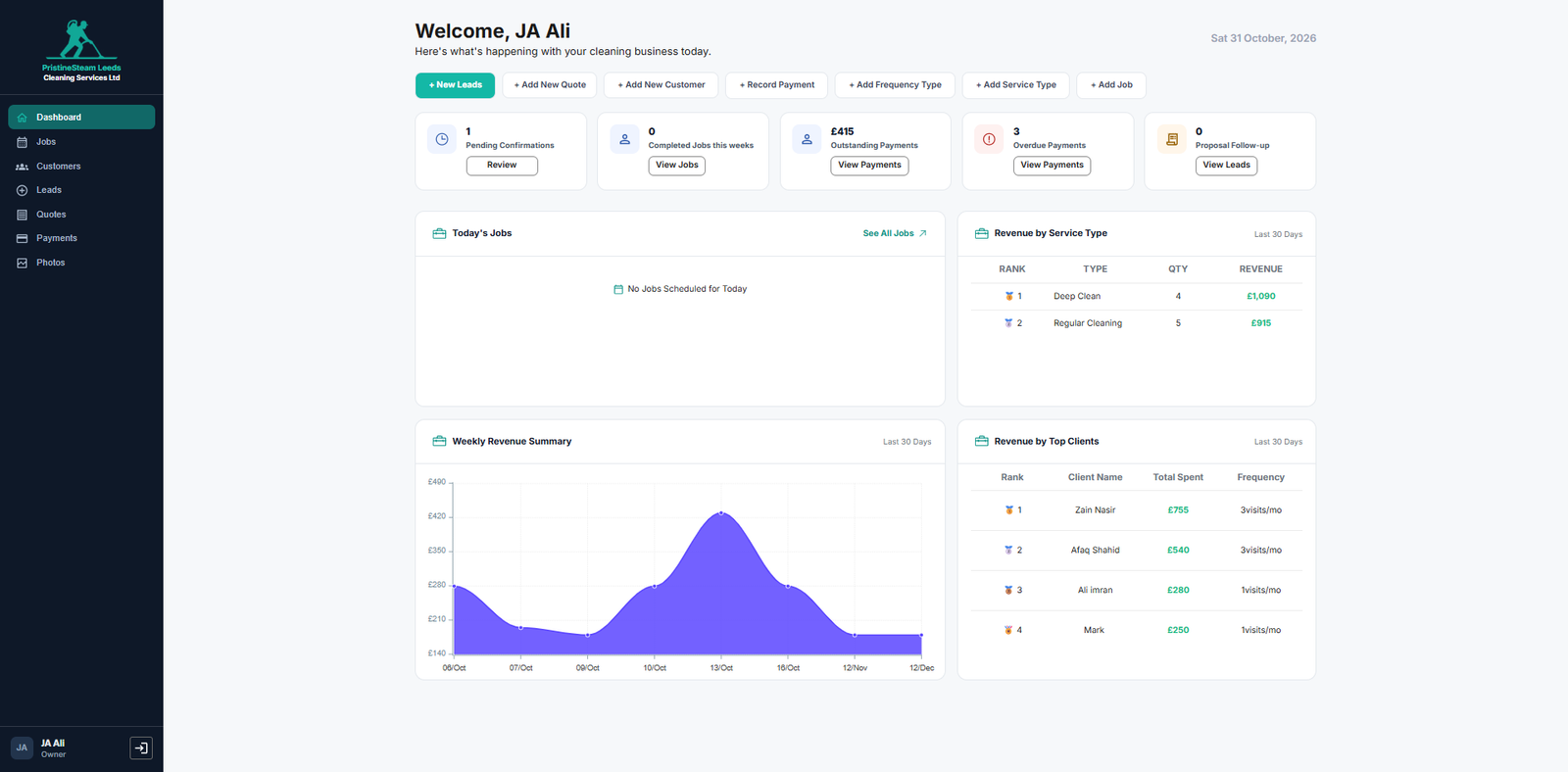
Command Dashboard
- 7 quick actions from one toolbar
- 5 live KPI cards
- Revenue analytics by week, service and client
Auto-Scheduler
- Instant prompt after every recurring job
- Pre-filled next visit with the date and time calculated
- 1-click Confirm & Schedule
Triple-View Job Management
- Calendar, Card and Table views
- Custom task checklist built from your own service types
- Key Safe access codes and property notes
Leads & Quotations
- Lead pipeline with 1-click Convert to Customer
- Itemised quotes as PDF, Email or WhatsApp
- Quote-to-Job in one click
Smart Invoicing & Payments
- Branded sales invoices
- Custom payment terms such as Net 15 Days
- 1-click WhatsApp & Email sender
- Payment recording with optional tips
Multi-Property & Photo Proof
- House, Airbnb, Commercial, HMO, Care Home under one client
- Before, After and Damage galleries with room tags
All 18 screens, one by one.
Use arrow buttons, thumbnails, your keyboard, or simply swipe to navigate through all CRM screens.
Executive Command Dashboard & Revenue Intelligence
Open the app and see the whole business at a glance: what needs confirming, what is owed, and exactly where your revenue comes from.
Quick-action toolbar
Every common task is one click away, from any screen.
5 live KPI cards
Revenue analytics
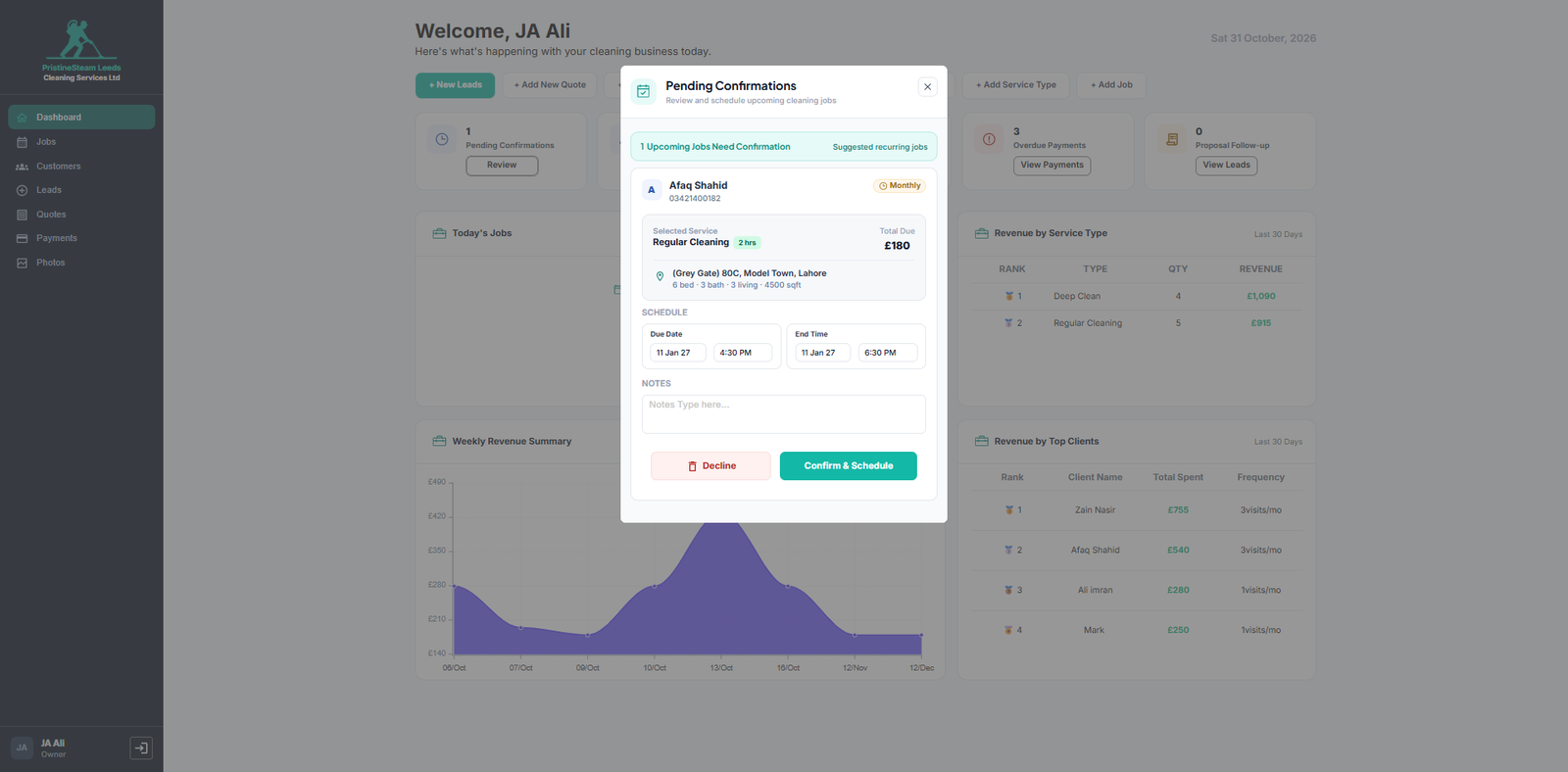
The “Zero-Missed-Repeat-Jobs” Auto-Scheduler
The moment a weekly, bi-weekly or monthly job is completed, the CRM prompts you with the next visit already built. No re-typing, no forgotten repeat clients.
- Triggers instantly when a recurring job is marked complete
- Pre-filled modal with customer info, frequency, duration, price and property specs
- Pre-calculated next date & time based on the job’s frequency
- 1-click Confirm & Schedule and the next visit lands on the calendar
Triple-View Job Management & Field Operations
See jobs the way each person on your team needs to see them: a calendar for planning, cards for the field and a table for audits.
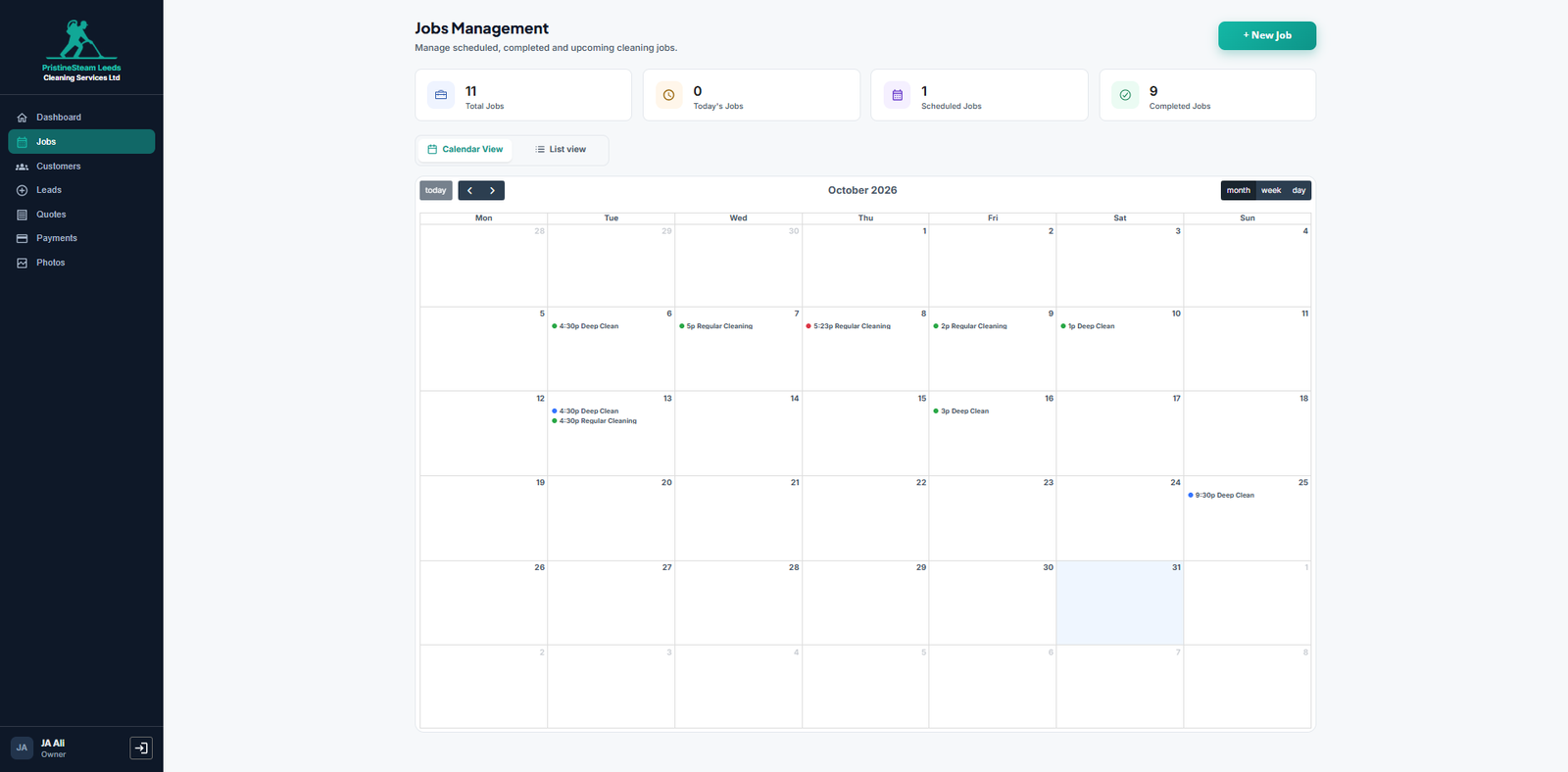
Calendar View
Plan the whole team on one screen and switch between Month, Week and Day.
- Month / Week / Day toggle
- Color-coded cleaner schedule so every cleaner is easy to spot
- Prevents double bookings before they happen
Card View
Everything a cleaner needs to know, on one job card.
- Commercial / Airbnb tags
- Property size
- Live task checklist progress such as 0/9 done, counted from the tasks you set for that service
- Assigned staff
- Highlighted Key Safe Access Code box
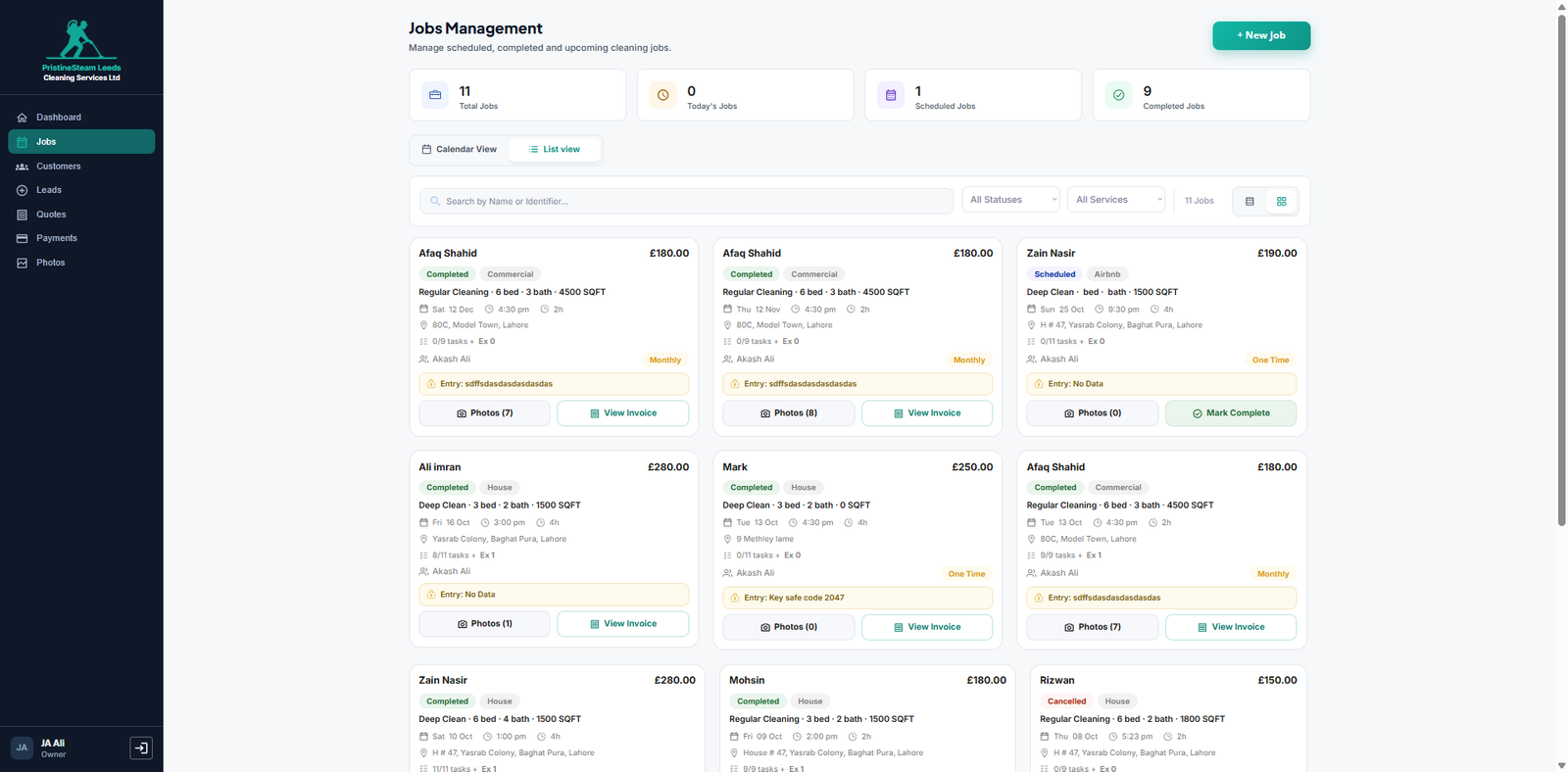
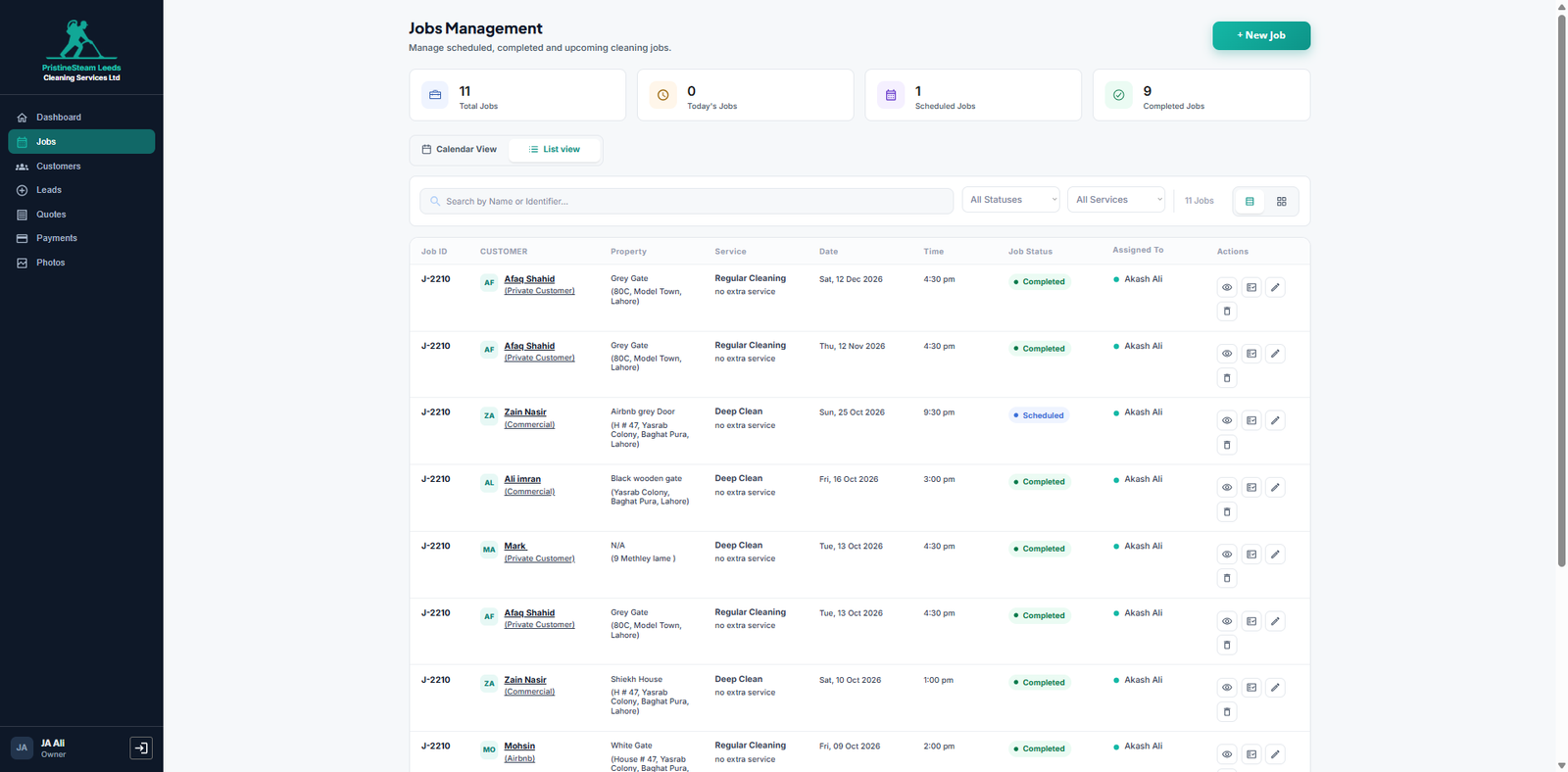
Table View
A clean data view built for admin audits.
- Quick toggle between views
- Search by name or ID
- Filter by status or service
- Clean data rows that are easy to scan
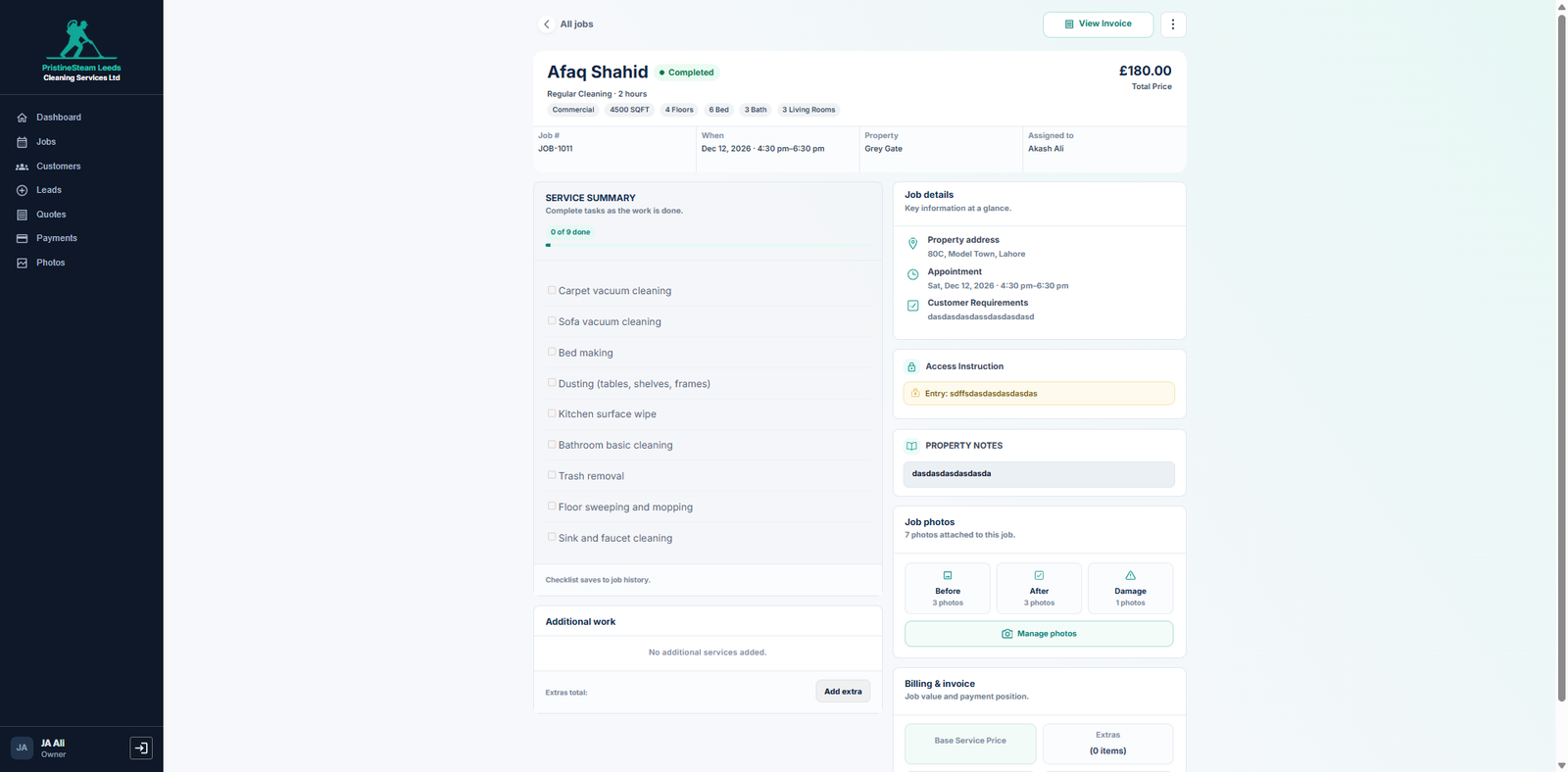
Full Job Execution Page
The page your cleaners work from on site.
- Interactive checklist that shows exactly the tasks you add under Add Service Type, as many or as few as you need
- + Add extra upsells right from the job
- Access Instructions & Property Notes in one place
Example tasks (fully editable):
100% Mobile Responsive Built for the field.
Your cleaners can easily view schedules, check off tasks, and upload photos directly from any smartphone.
Lead Pipeline & Quotation Management
Turn enquiries into booked jobs faster, with every lead, quote and follow-up tracked in one pipeline.
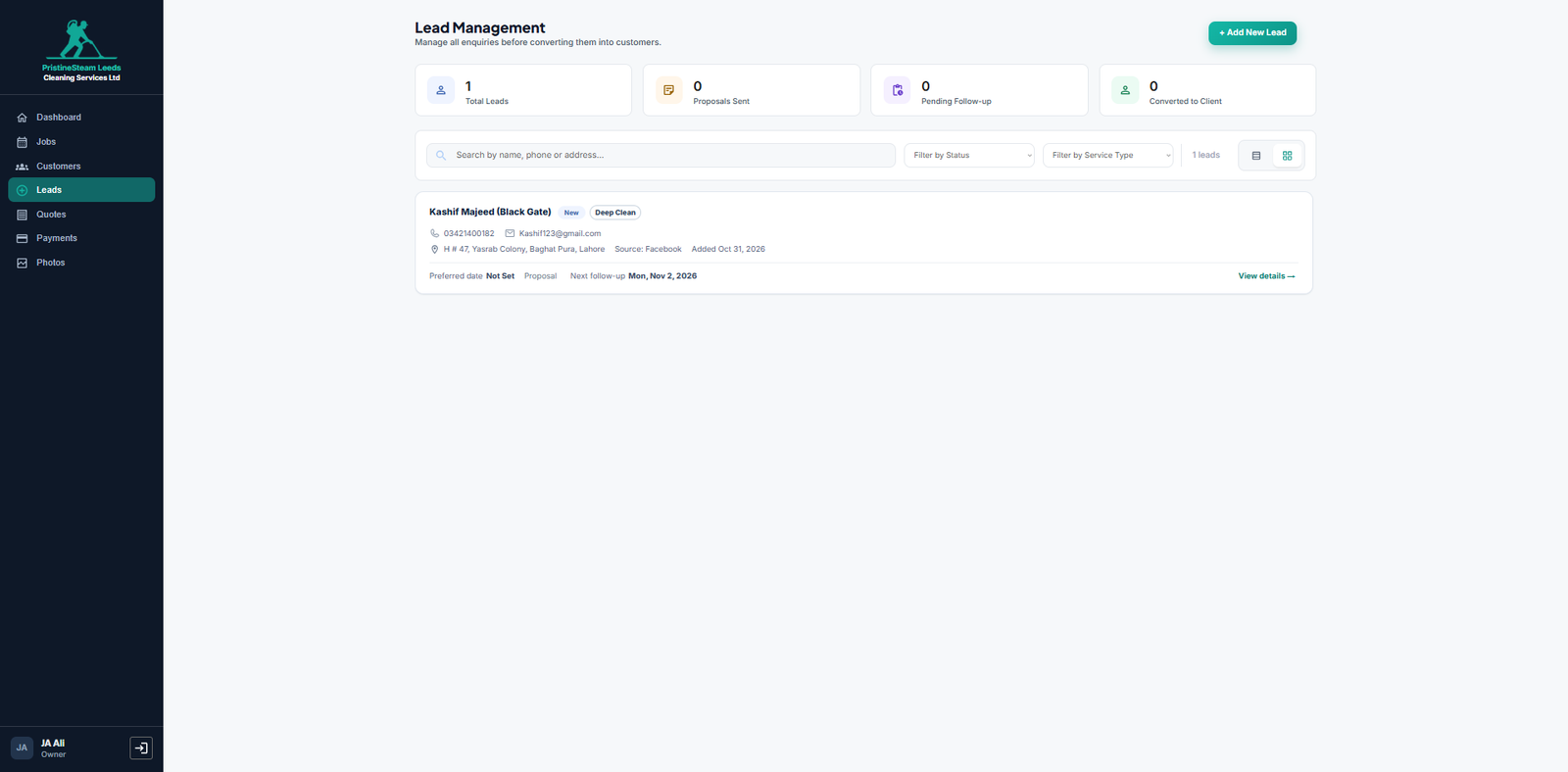
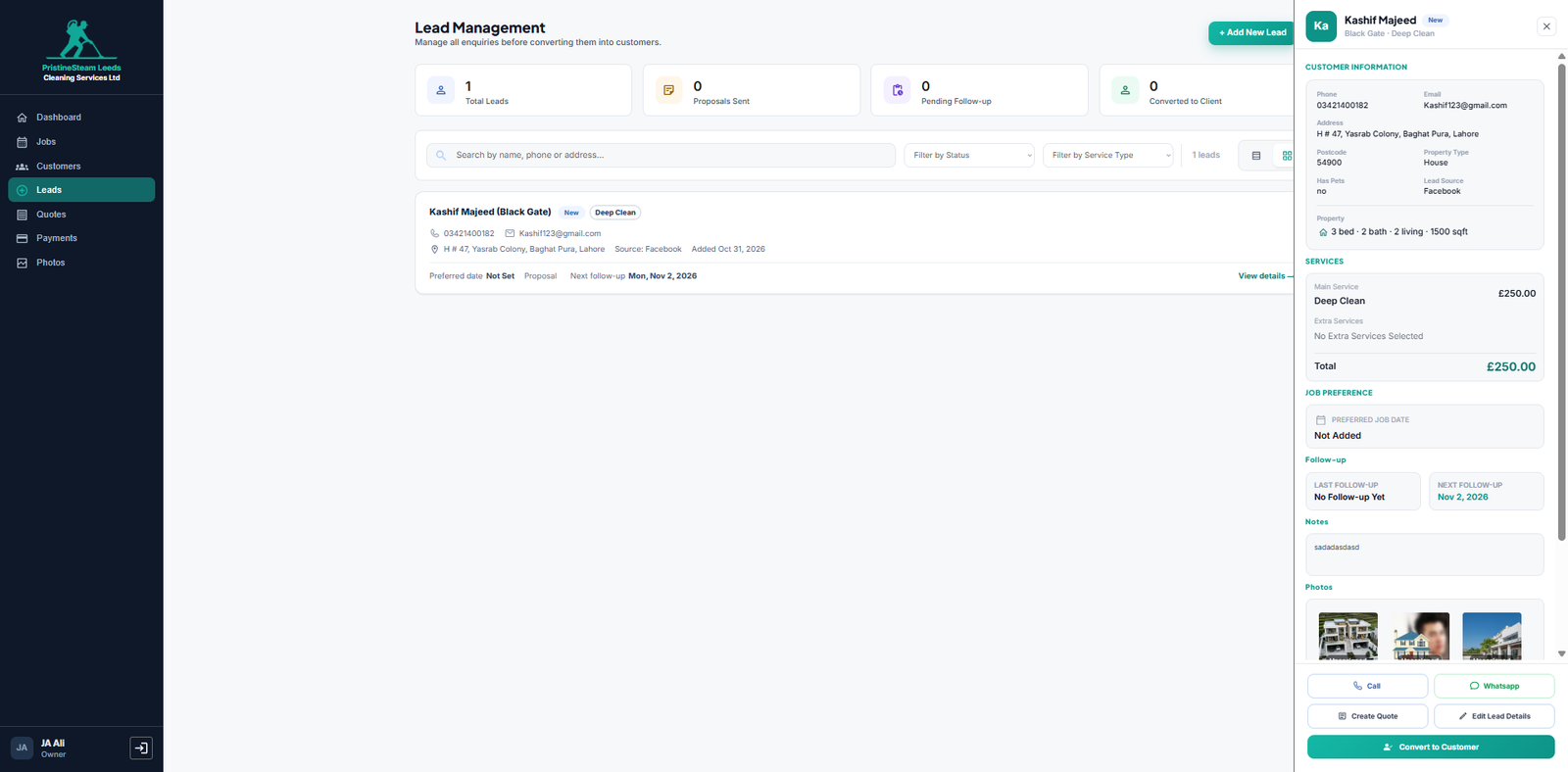
Lead Management
Never lose an enquiry again.
- Capture enquiries
- Track status
- Add notes and photos
- 1-click Convert to Customer
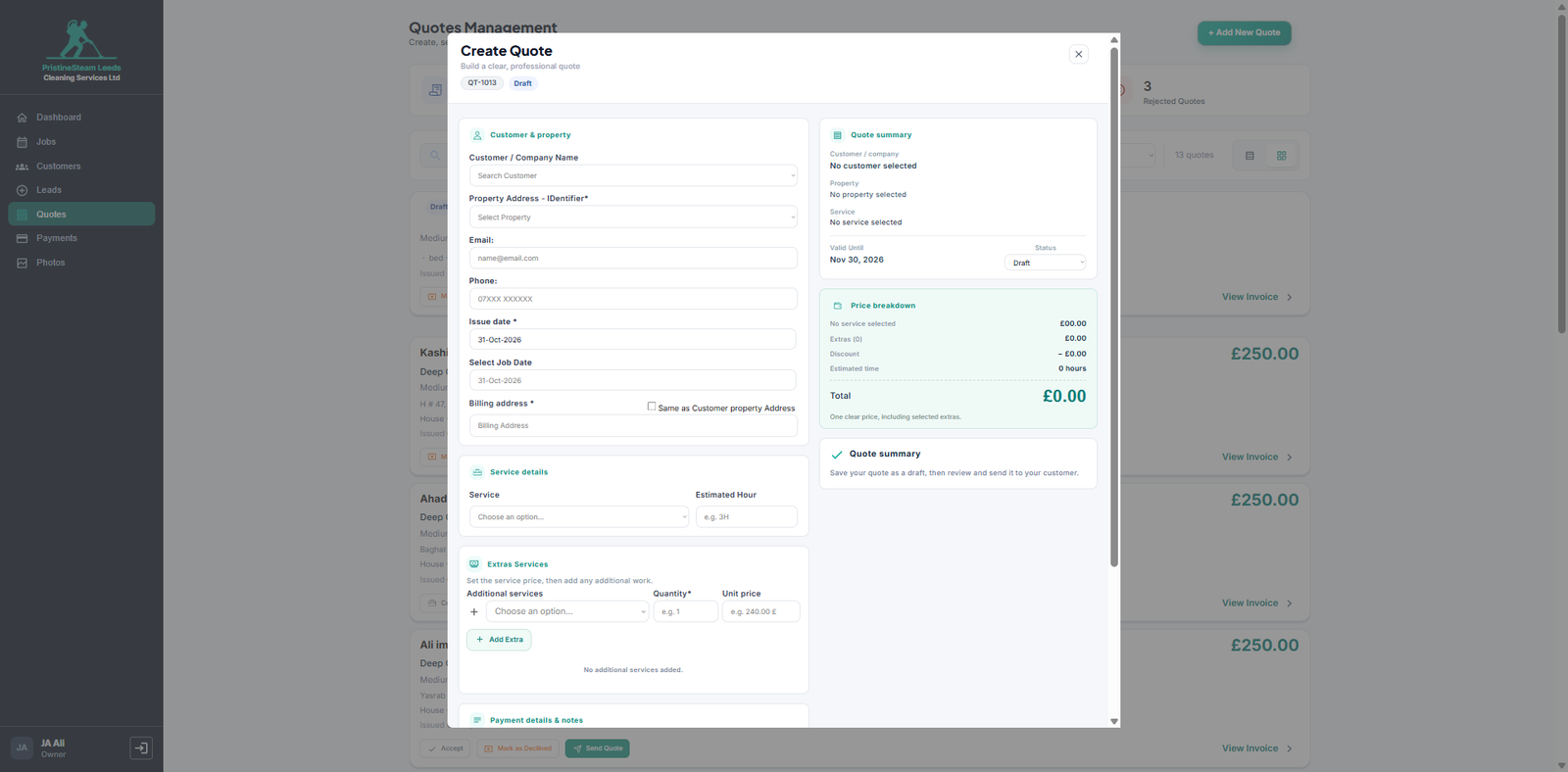
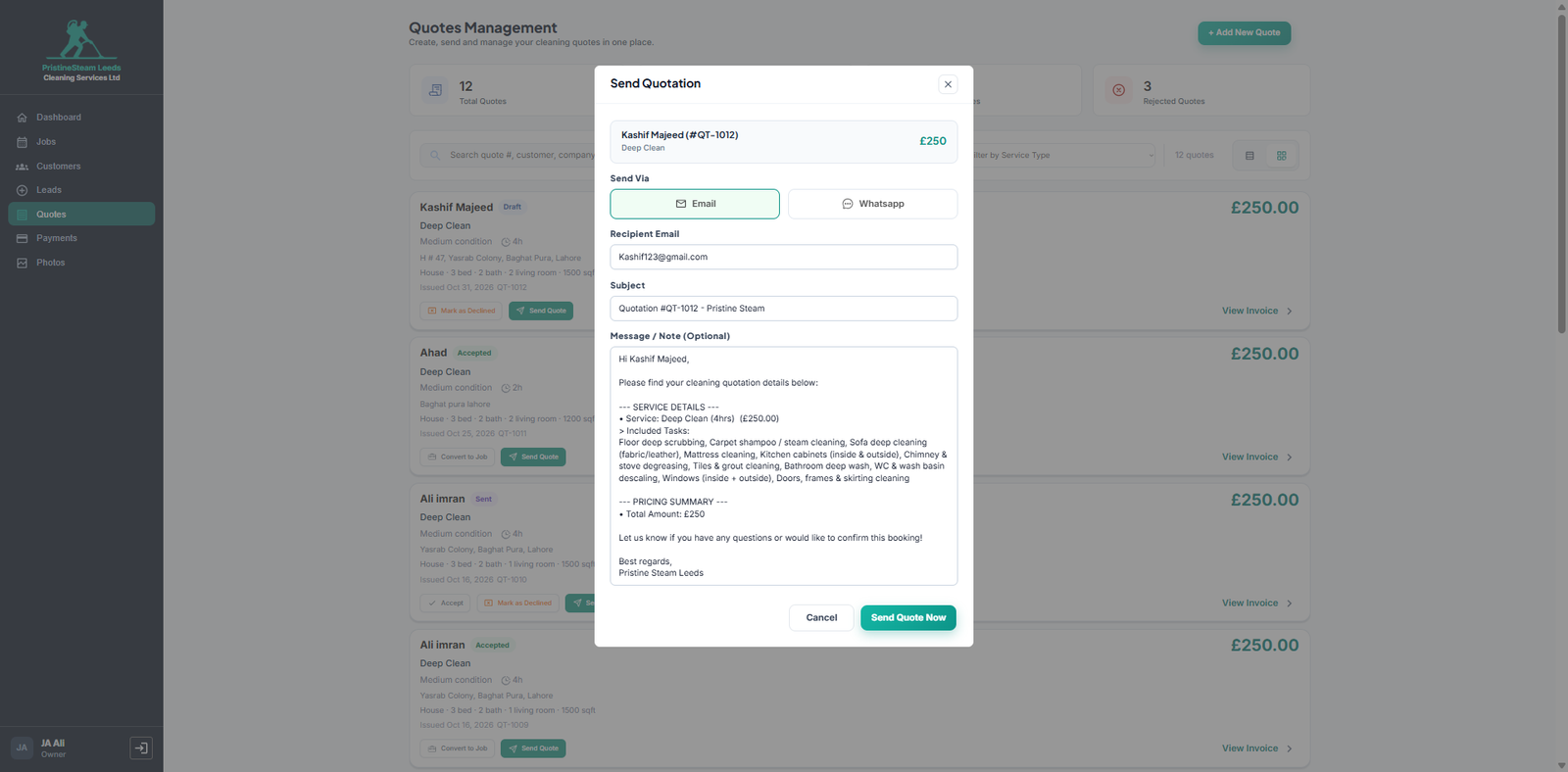
Quotation Management
Professional quotes, sent in seconds.
- Itemized pricing
- 1-click Print / PDF
- Instant Send Quote via Email or WhatsApp with auto-generated text
1-Click Quote-to-Job Conversion
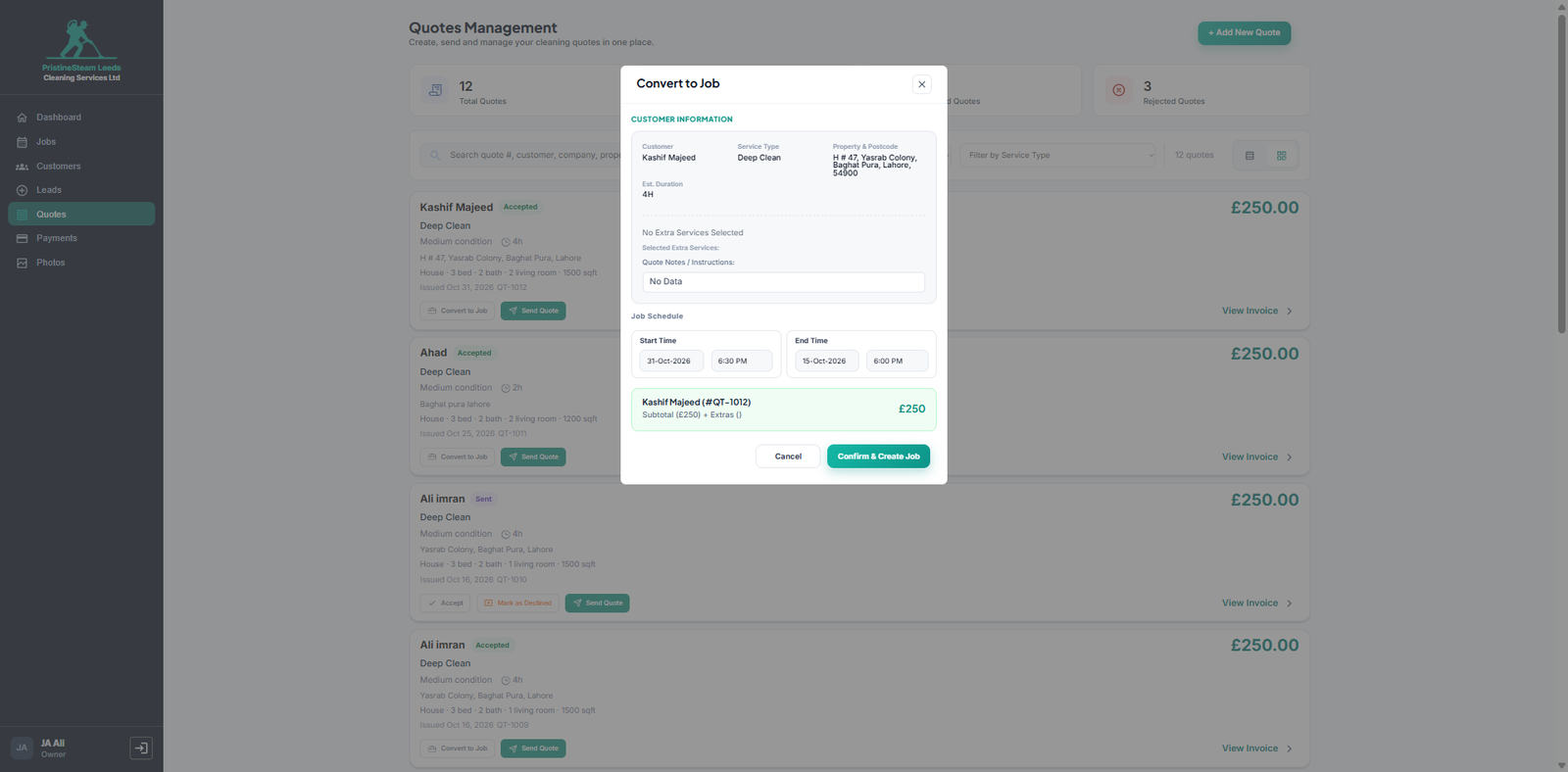
From “yes” to a booked job without re-entering anything.
- Instantly schedules a job on the calendar the moment a quote is accepted
Smart Invoicing, Payment Terms & Automated WhatsApp/Email
Get paid faster with branded invoices, automatic due dates and a 1-click sender that writes the message for you.
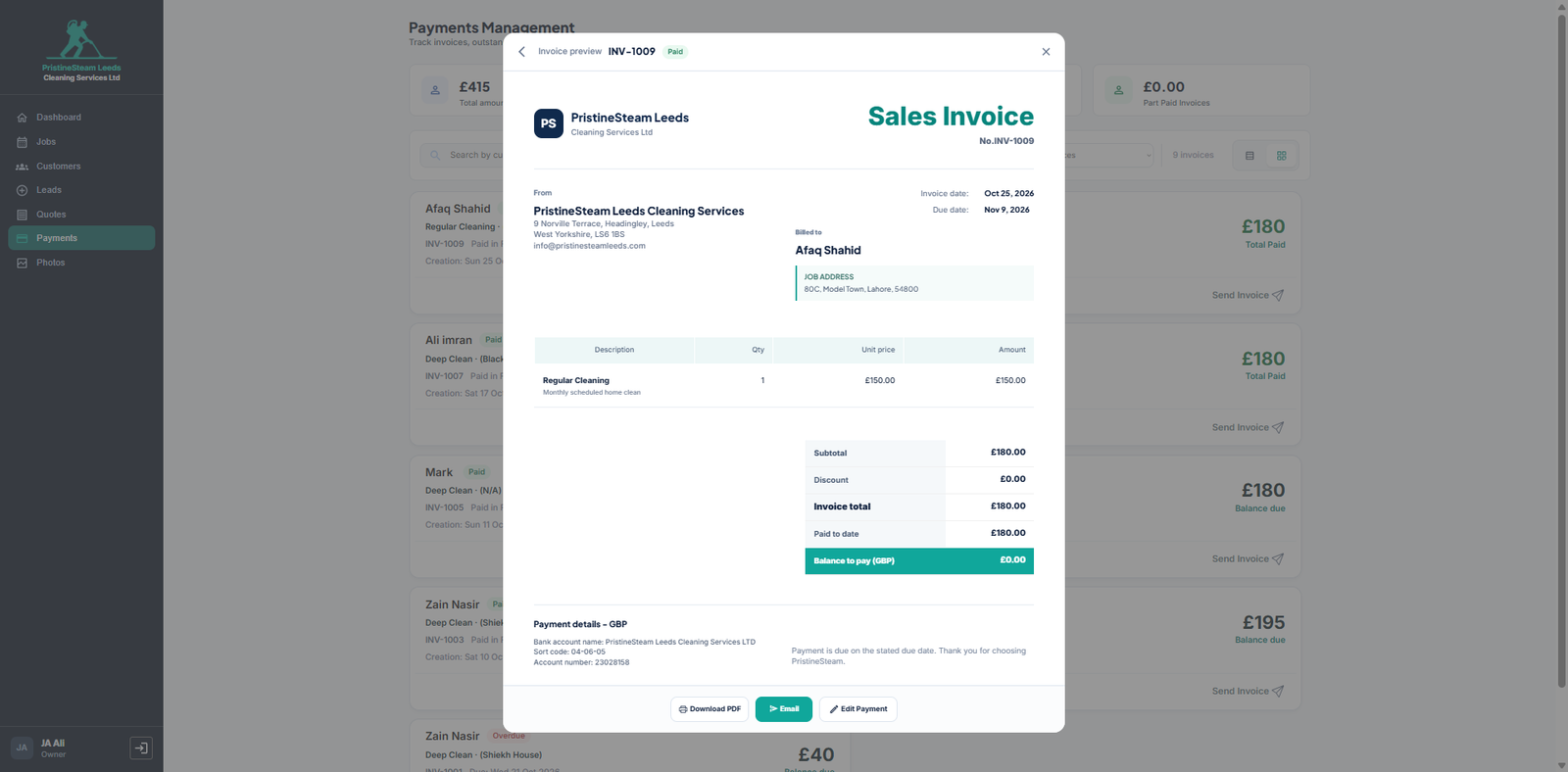
Sales Invoices
Clean, branded invoices ready to send.
- Company branding
- Itemized table with subtotal and discount
- Paid status
- Bank transfer details built in
Custom Payment Terms
Set terms once, and due dates take care of themselves.
- Set terms like Net 15 Days during customer creation
- Due dates calculated automatically
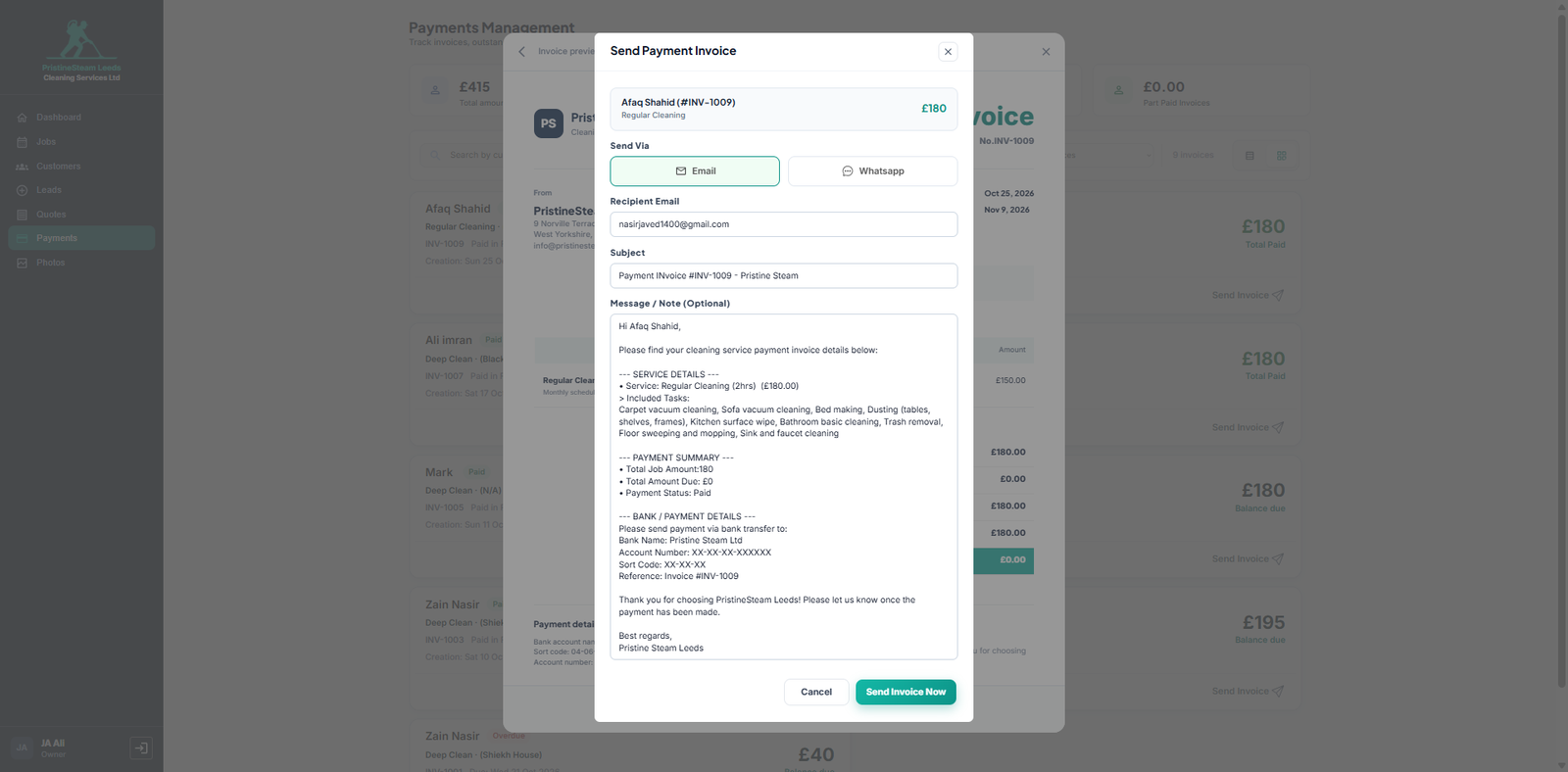
1-Click WhatsApp & Email Sender
The invoice message writes itself.
- Toggle between Email and WhatsApp
- Auto-written professional message with service details, task lists and bank info
- Click Send Invoice Now
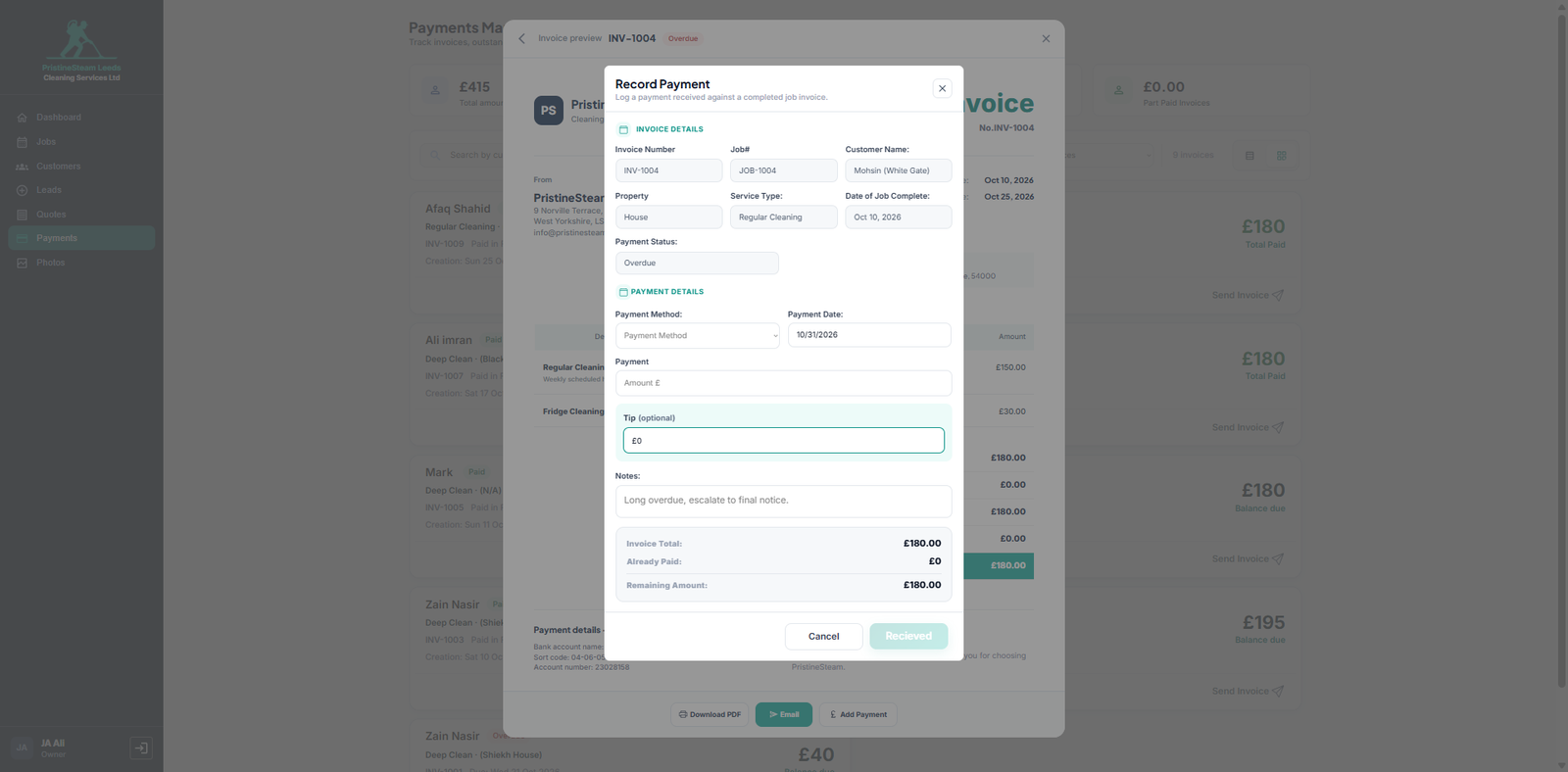
Payment Management & Recording
Always know who owes what.
- Track outstanding balances and overdue invoices
- Record Payment / Add Payment method, date and amount
- Optional tips logged with the payment
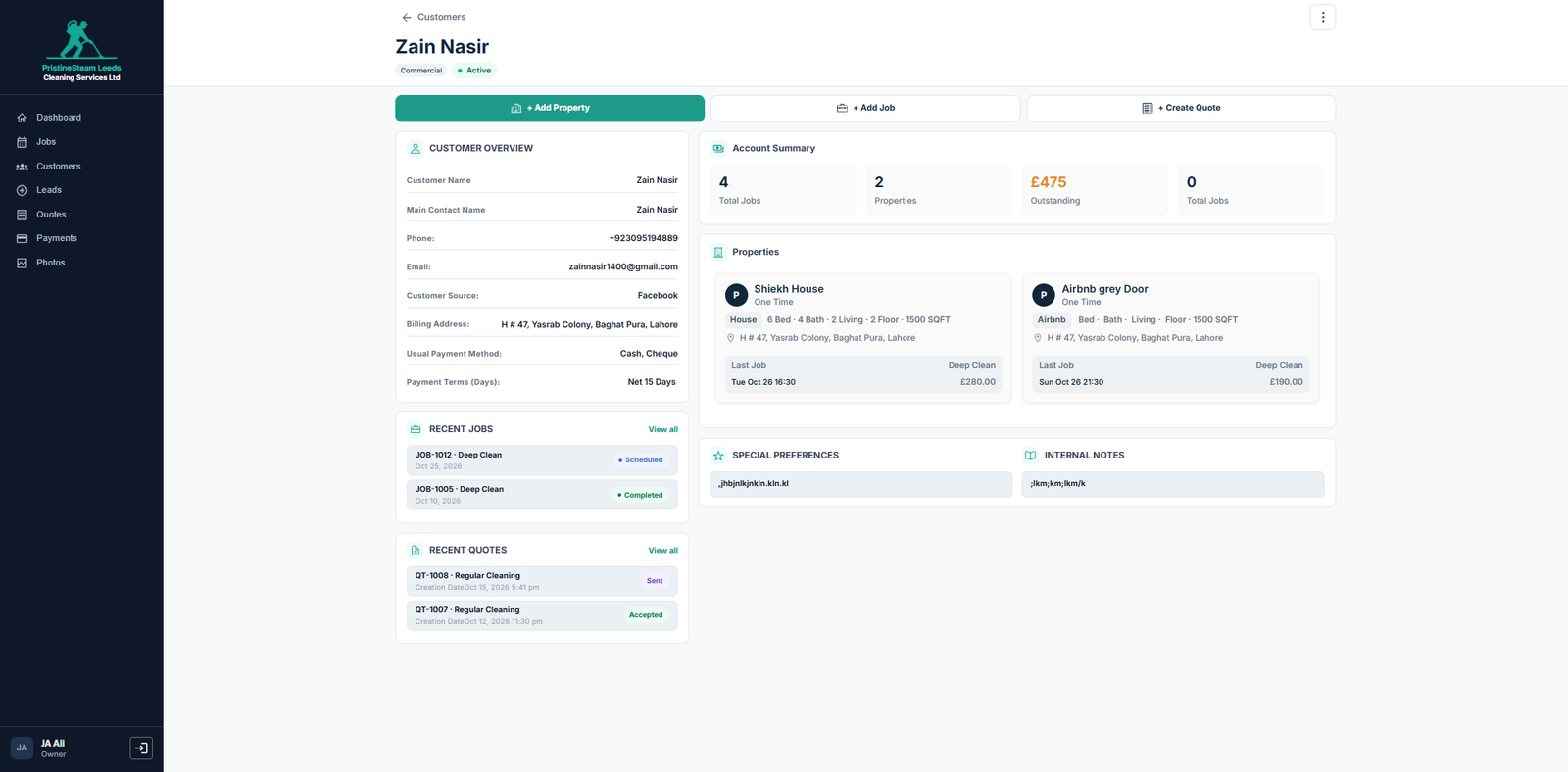
Multi-Property Management & 3-Way Photo Proofs
Manage clients with many properties, and protect your business with photo evidence for every job.
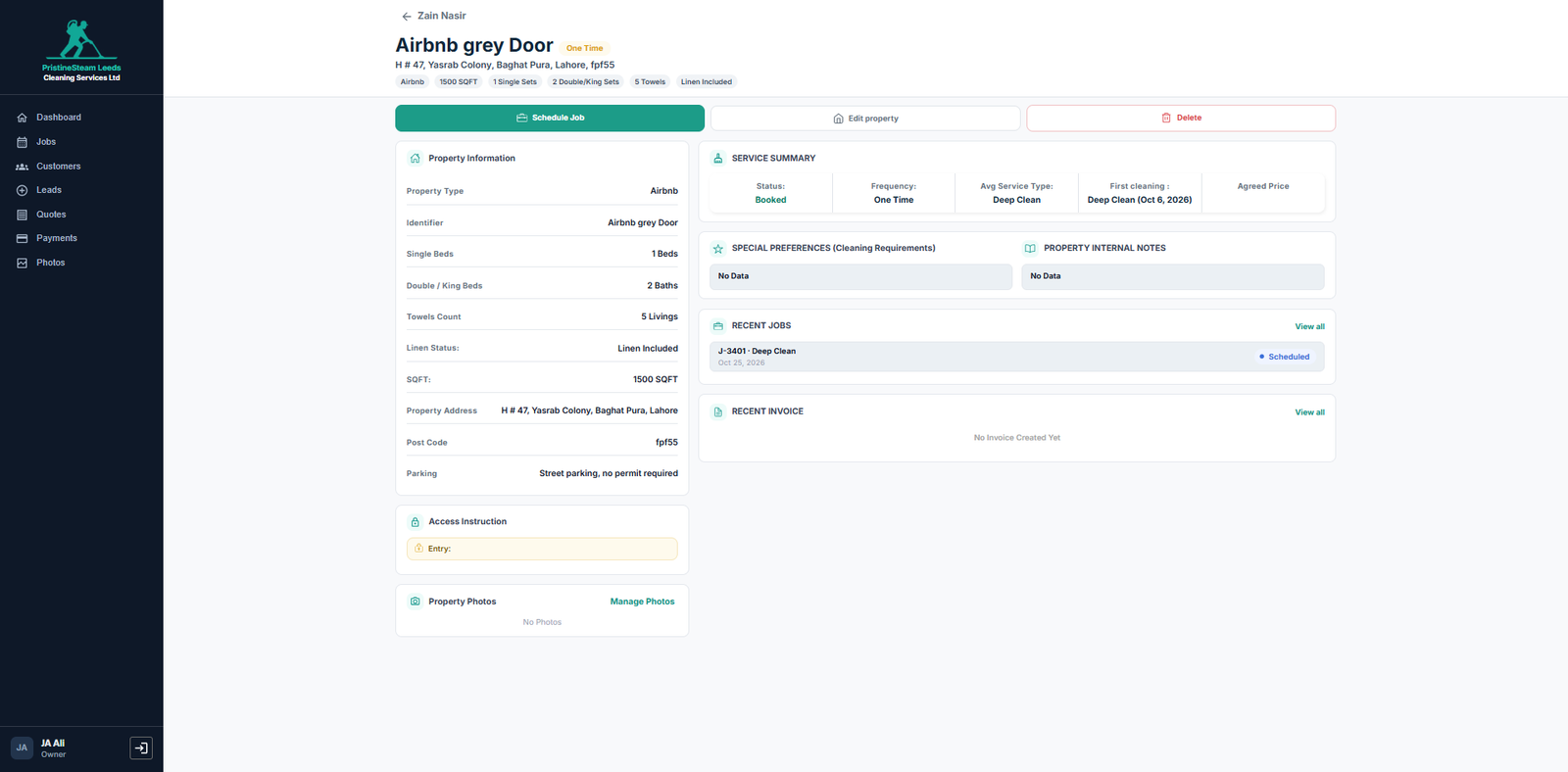
One client, as many properties as they own.
- Link multiple properties under a single client profile
- Each property has its own frequency, specs and job history
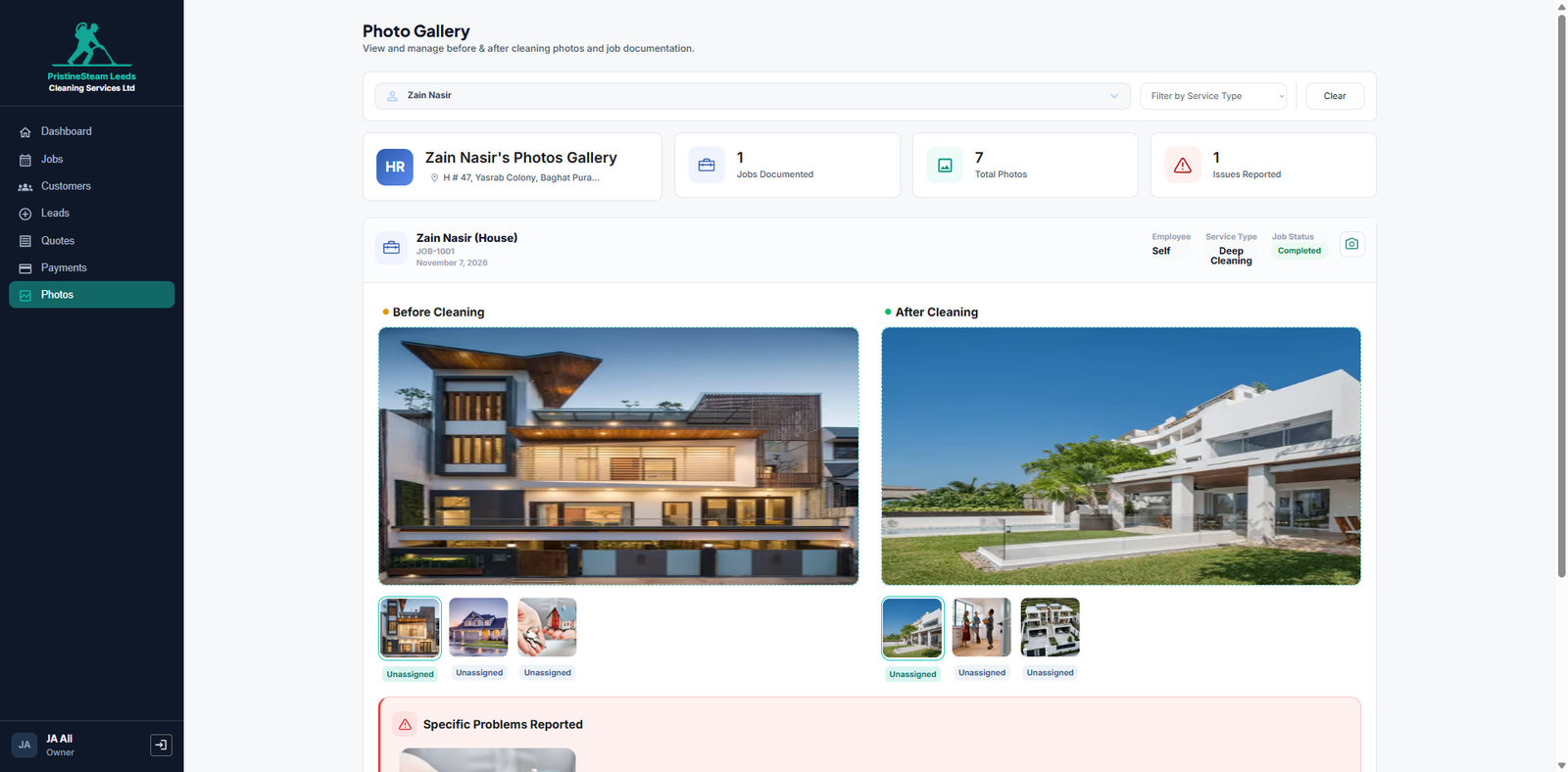
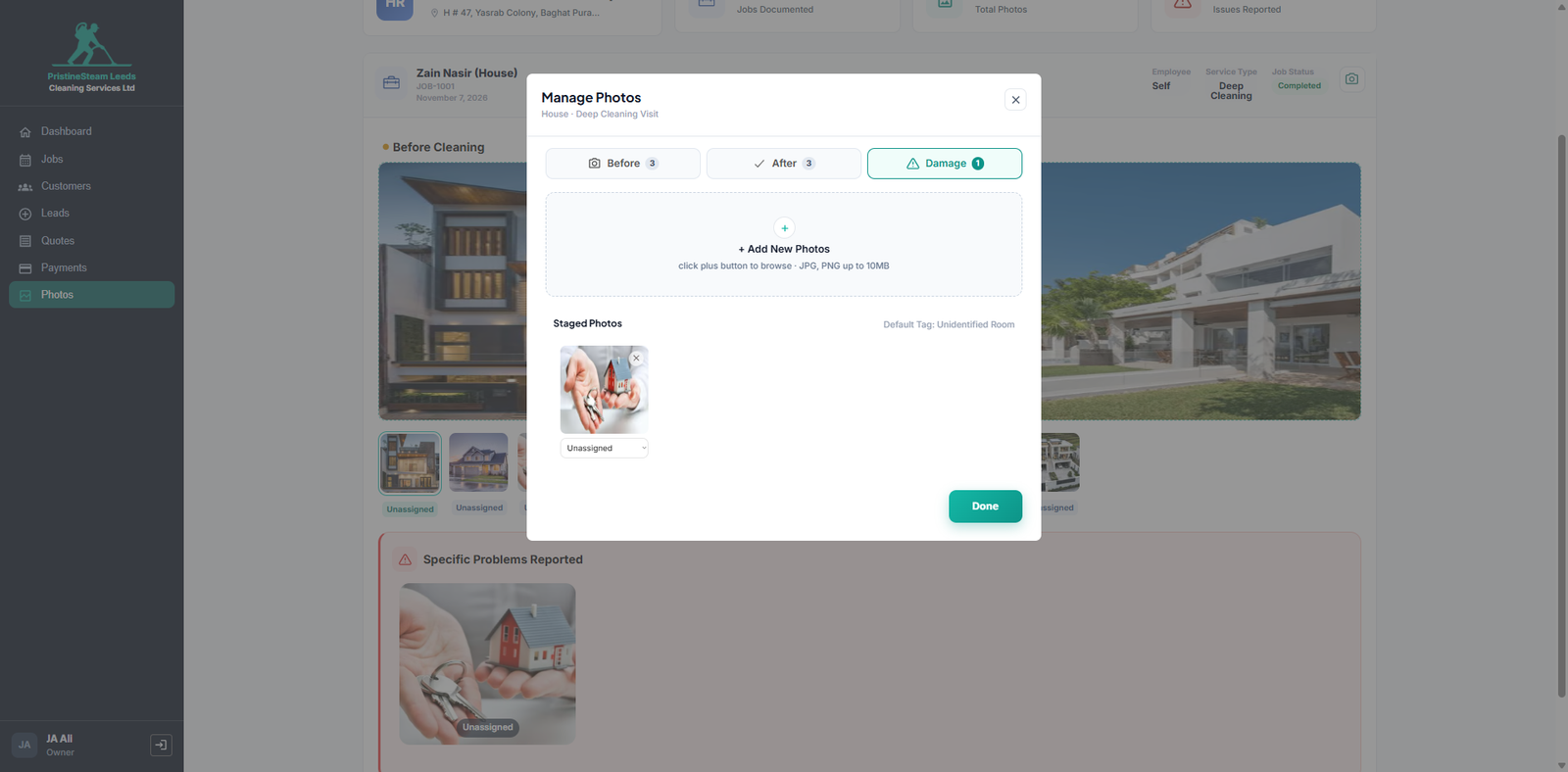
Evidence that ends client disputes.
- Centralized photo gallery
- Dedicated tabs for Before Cleaning, After Cleaning and Damage Records
- Room tags such as Unidentified Room, so every photo has context
- Completely eliminates client disputes with a clear visual record
Made for how cleaning companies work.
Whatever you clean, the CRM keeps each property, schedule and invoice organised.
Residential & Houses
Recurring weekly, bi-weekly and monthly visits that book themselves.
Airbnb Turnovers
Property tags, access codes and photo proof for every changeover.
Commercial Offices
Custom payment terms like Net 15 Days and overdue alerts.
HMOs & Care Homes
Many properties under one client, each with its own history.
Live in three simple steps.
Book a 15-min demo
Tell me how your cleaning company runs today and see the CRM fit your day.
Turnkey setup
Branded with your logo and currency, ready in 48 hours.
Go live and tailor
Start running jobs, then add custom workflows or fields on Bubble.io as you grow.
Pick the setup that fits you.
Start fast with a ready-made system, or tailor it to your exact workflow. Either way it is a one-time fee, not a monthly bill.
Branded with your logo & currency.
The full CRM, configured with your branding and currency, so you can start running your business on it right away.
- Your logo and brand name
- Your currency
- Ready in 48 hours
Custom Bubble.io tailoring.
Need different workflows, fields or integrations? I tailor the system on Bubble.io to your exact process, at 70% lower cost than traditional development.
- Custom workflows and fields
- Your integrations
- Built on Bubble.io at 70% lower cost
Custom-Built for You. No Per-User Penalties.
Generic apps charge you more as your team grows. We build a tailored system for a flat one-time setup fee, with unlimited staff accounts. You only pay the direct server hosting costs.
- Turnkey setup in 48 hours, customized with your brand logo & colors.
- Unlimited cleaners and staff accounts (Zero per-user fees ever).
- All core modules: Dashboard, Scheduling, Invoicing, and Photo Galleries.
Note: Additional custom feature requests outside the core CRM will be quoted separately.
Get the Managed Setup- Everything in the Managed Setup.
- Full Source Code Transfer: We transfer the entire application into your own personal Bubble.io account.
- 100% IP Rights: You own the code forever. Modify it, resell it, or scale it with your own developers.
Not sure which option fits? Book a free 15-minute live demo and we will help you choose.
Questions, answered.
Is the CRM ready to use or built from scratch?
It is a ready-made system. The turnkey setup is configured with your logo, brand name and currency in 48 hours.
Can I change the cleaning task checklist?
Yes. The checklist on each job comes from the tasks you add under Add Service Type. Add as many as you need and exactly those tasks show on the job.
Is it a monthly subscription?
No. Other brands charge $200+ every month. We customise this CRM for you with even more features, for a one-time fee.
Why is there a one-time setup fee instead of a standard SaaS monthly subscription?
Generic apps typically charge per user, so your bill climbs every time you hire another cleaner or office admin. We took a different approach. Your one-time setup fee covers a custom build configured with your branding, and it includes unlimited staff accounts with no extra penalties, however large your team grows.
What does the estimated $35/month fee cover?
It is the direct cloud hosting cost paid to Bubble.io to keep your database live and secure. It is an estimate, because the exact amount depends on the Bubble.io plan your app runs on. We do not take any markup or commission from it.
Can I request new custom features after the initial setup?
Yes. Because this is a custom system, we are happy to build and integrate any extra features your business needs in the future. Each request is scoped and priced as a separate, transparent one-off quote, so you always know the cost before any work begins.
Who owns the software code and the client data?
Your business data is 100% yours. The $2,500 Ownership Plan also transfers the full source code and IP to you, so you own the application outright. The $500 Managed Setup is a fully managed service: we set up and look after the system for you, and you use it without having to handle the technical side.
Can the CRM be customised for my workflow?
Yes. Custom workflows, fields and integrations are built on Bubble.io at about 70% lower cost than traditional development.
How are invoices and quotes sent to customers?
With one click by WhatsApp or Email. The CRM writes the message for you, including service details, task lists and bank info.
Can one client have several properties?
Yes. A single client profile can link houses, Airbnbs, commercial sites, HMOs and care homes, each with its own frequency, specs and job history.
How does the CRM help with client disputes?
Every job has Before Cleaning, After Cleaning and Damage Records galleries with room tags, giving you a clear visual record.
What happens when a recurring job is completed?
The auto-scheduler opens a pre-filled prompt for the next visit with the date and time already calculated. One click confirms and schedules it.